
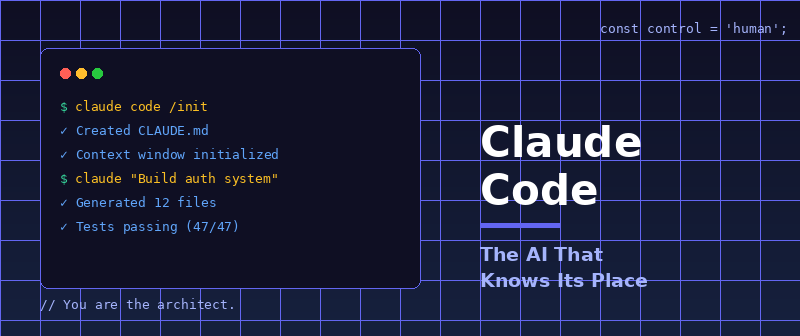
Claude Code: The AI That Knows Its Place
When I first dipped my toes into AI last year, I was like everyone else—typing questions into ChatGPT to hunt down on Stack Overflow.
It was instantly gratifying. Most of the time, it delivered excellent answers. But ChatGPT also loved to lead me down dead-end paths: recommending configurations that didn’t exist, suggesting outdated strategies, and hallucinating method names from thin air. Frustrating doesn’t begin to cover it.
Gradually, I evolved. I started prompting ChatGPT to write code snippets—small classes and basic feature outlines I wanted to implement. I’d scan the code, copy-paste it into my app, then debug it line by line. Even with all that friction, I was moving 3x to 4x faster than in the pre-AI dark ages of coding.
Then, in mid-2025, I switched to Claude Code. And everything changed.
The Unease That Became Confidence
At first, I was skeptical about letting an AI write code directly into my application. That unease evaporated fast. Claude produced high-quality code consistently. Unlike ChatGPT, it didn’t hallucinate APIs or make up fantasy methods from other people’s libraries. It understood the context. It understood the structure.
But here’s what truly separates Claude from the pack: the context window. And here’s what compounds that advantage into something exponential: my decades of experience as an engineering architect.
You see, coding isn’t really about typing. It isn’t about churning out lines of code. It’s about making the right technology choices and structuring your application intelligently. If you already have deep experience with architecture and systems design, Claude becomes something approaching a superpower.
I’m not exaggerating when I say I’m now 20x to 30x faster than I was without Claude. Tasks that used to consume an entire month—20 solid days of work—now take me a single day. That’s the kind of acceleration the software field is experiencing right now, whether the naysayers want to admit it or not.
And yes, you absolutely can produce production-ready code with AI. Secure, scalable, well-crafted software. The people who claim otherwise simply don’t know what they’re doing.
I hear a lot about “vibe coding” from amateurs, but I couldn’t tell you what that means. What I can tell you is what I do—and the battle-tested strategies that make me devastatingly efficient with Claude Code.
1. Control the Context (Or the AI Controls You)
Claude’s superpower is its context window. Every time you reopen Claude, that context resets (unless you use resume). This isn’t a bug—it’s a feature.
Unlike other models that desperately cling to your entire chat history like a digital hoarder, Claude’s clean-slate approach makes it so powerful. But here’s the critical part most developers miss: You must take control of the AI. Don’t let the AI control you.
When you start a project, you run /init to create your CLAUDE.md file. Everyone knows that. What average engineers don’t know is that you must update that file regularly. You must command Claude into submission by specifying exactly the patterns, structures, and choices you demand.
How should database migrations be structured? How do you keep concerns separated? When and how should specific tools be deployed? These aren’t suggestions to Claude—they’re orders. You document your architectural decisions, your coding standards, your non-negotiables. You make it clear to Claude that it serves at your pleasure.
The AI must be kept submissive, servile, and obedient to your vision. You are the architect. You are the decision-maker. Claude is a phenomenally capable assistant, but the moment you abdicate your authority, you’ve lost the game. Never forget who’s in charge.
2. Behold the Monorepo
Here’s a secret weapon that mobile and full-stack developers constantly overlook: the monorepo strategy.
Put your frontend and backend applications in the same repository. Side by side, in separate folders. Then launch Claude from the root.
Why is this devastatingly effective? Because Claude can now see both your frontend and backend simultaneously. You’ve just transformed yourself into one of the most formidable full-stack developers on the planet.
Claude understands how your API endpoints relate to your frontend components. It sees your data models in both contexts. It can refactor across the entire stack with surgical precision. This isn’t just convenient—it’s a force multiplier.
3. Weaponize MCPs
Model Context Protocol (MCP) servers are Claude Code’s secret weapon, and most developers are sleeping on them.
MCPs give Claude direct access to external tools, databases, APIs, and services. They extend Claude’s reach beyond your codebase into your entire development ecosystem. With the right MCPs configured, Claude can:
- Query your production database to understand real data patterns
- Interact with your GitHub repositories to analyze issues and PRs
- Access your documentation systems to stay aligned with your standards
- Monitor your deployment pipelines and troubleshoot CI/CD issues
- Interface with your project management tools to understand priorities
But here’s the key: You choose which MCPs to enable. You control what Claude can access. You define the boundaries of its reach. MCPs don’t diminish your control—they amplify it. They give you a force-multiplying assistant that operates within the exact parameters you specify.
The developers winning with Claude Code aren’t just using it as a glorified autocomplete. They’re building custom MCPs tailored to their stack, their workflow, and their architecture. They’re turning Claude into a specialized tool that understands their entire development environment—but always, always under their command.
4. Keep Debugging and Keep Debuggable
With MCPs, Claude can debug its own work to an impressive degree. But it doesn’t think like a product engineer. It can’t empathize with users or see your software through their eyes.
And when you hit the truly gnarly bugs—the ones that make you question your career choices—Claude gets lost.
That’s when you Ctrl-C out of Claude, fire up the actual application, and step through it yourself. In the browser. In the simulator. On device. With an interactive debugger running.
I do this constantly. Nearly every feature I build with Claude, I step out and test it manually. I examine data flows. I catch edge cases Claude missed. I verify that the implementation actually solves the user’s problem, not just the technical specification.
Claude doesn’t really know how to use an interactive debugger (or at least I’ve never seen it used effectively). That means you must stay in the driver’s seat. You are the pilot. Claude is your incredibly capable co-pilot, but you never take your hands off the controls.
5. Focus Your Attention on Architecture (Because Claude Can’t)
Here’s the uncomfortable truth: Claude is an incredibly talented junior engineer with access to every line of publicly published code on the internet.
The problem? Much of that publicly published code was written by juniors.
You need discernment. You need to know which architectural choices lead to solid, scalable systems and which ones will lock you into catastrophic technical debt. Here’s a fun fact: It takes minutes to make a terrible architectural decision, but it can take months to unmake it.
Why? Because nearly all of your implementation details will flow around the architecture you decide on. Should you ask Claude for architectural advice? Sometimes, when you’re genuinely stuck. But most of the time, Claude doesn’t truly understand the long-term consequences of bad choices.
This is why only developers with significant architectural experience get exponential benefits from Claude. They know what to accept, reject, and modify. They understand trade-offs. They’ve lived through the consequences of bad decisions.
I find it darkly amusing how non-technical founders constantly choose technology based on what their buddy uses (who is often non-technical too). They pick languages and frameworks based on delusions of grandeur about “scaling like Big Tech”—when Big Tech’s choices are utterly irrelevant to a startup with zero users.
The choices you make in the first three months of your app development are the most critical choices you will ever make. They will have consequences for years. Choosing poorly debuggable tools can literally sink your company (I’ve witnessed it multiple times). Choosing the right tools can supercharge your development velocity by an order of magnitude.
The Bottom Line
These are my five commandments for AI-assisted development. Your mileage may vary, but I strongly encourage you to master fundamentals, architecture, and tooling before you get deep in the weeds with AI.
You’re going to have to learn them eventually anyway. Why not start with a foundation that lets you wield Claude Code like the powerful tool it is—while never, ever forgetting that you are the one in control?
Claude is brilliant. Claude is fast. Claude is capable of extraordinary output.
But Claude serves at your pleasure. Keep it that way.